

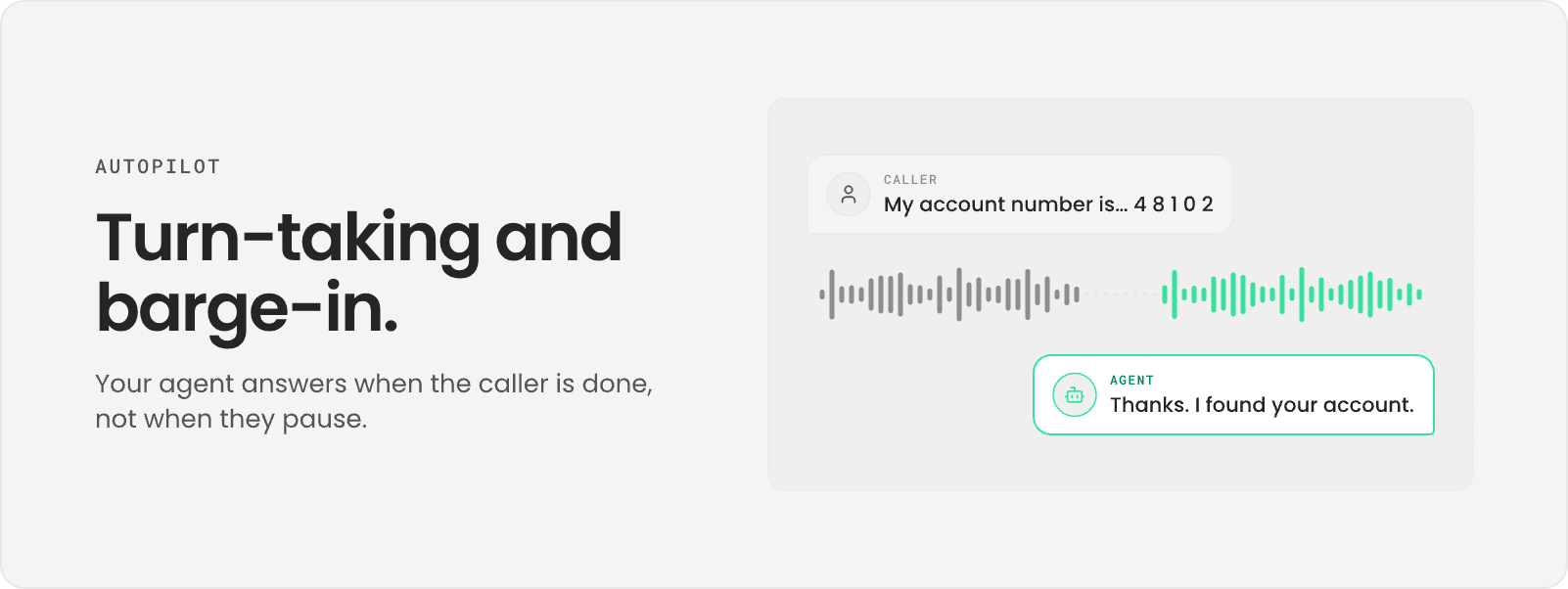
Endpointing versus end of thought
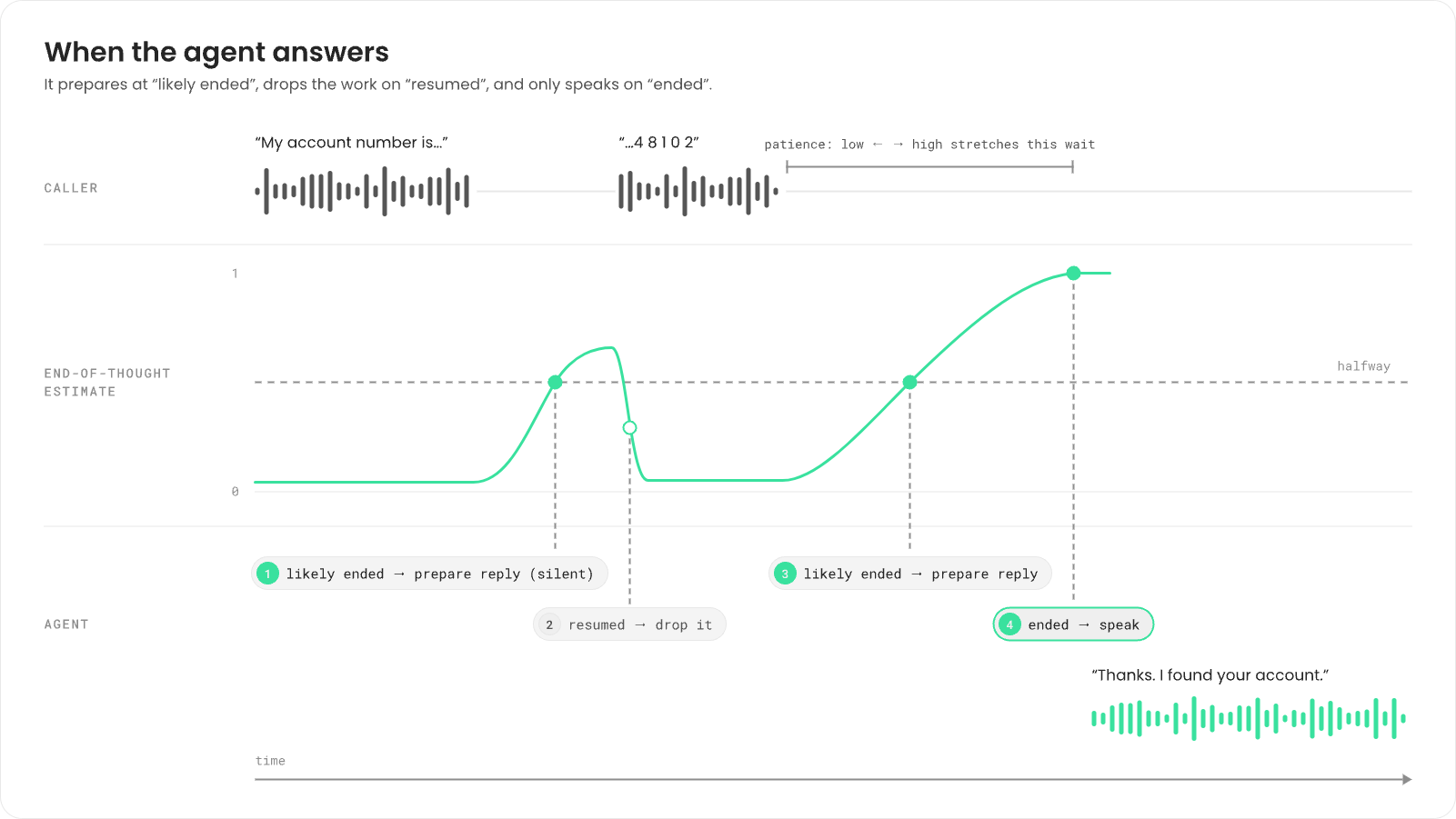
Most voice systems use endpointing: wait for a fixed stretch of silence, then reply. It’s simple, and it’s wrong in both directions. People pause mid-sentence to think (“My account number is… let me find it…”), and a fixed timer treats that pause as the end. People also finish a short answer (“Yes.”) and then wait, and the same timer makes them sit through the full silence. Fonoster estimates end of thought instead. For each caller turn it keeps a running estimate, from 0 to 1, of how likely it is that the caller has finished. The estimate rises during silence after a complete sentence and falls the moment the caller speaks again. It uses the caller’s audio, the transcript so far, and whether the agent is talking.Three moments in a turn
The estimate turns into three moments that your agent reacts to:
Preparing early is how the agent answers fast without answering early. The model starts writing
while the caller might still be talking, but nothing plays until the turn has really ended. When
the caller was only pausing, the work is dropped and the caller never knows.
Patience
Patience is the one setting that changes the timing. It has three levels:
At
low and normal, Autopilot prepares replies at “likely ended”. When the agent’s own
conversationSettings.patience is high, it waits for “ended”, because a patient agent is one
that shouldn’t guess. High patience that comes only from the application’s speech settings
stretches the wait but doesn’t stop early preparation.
Patience also adapts within a call. Each time a caller resumes after a false alarm, Fonoster
becomes a little more patient with that caller, up to 1.6 times the agent’s level. It never
becomes less patient than you asked for. After three false alarms in one call, Autopilot also
stops preparing replies early for the rest of that call. None of this carries over: every call
starts from the agent’s setting.
You set patience in the agent’s conversationSettings.patience, or in the application’s
speech.patience. The agent’s setting wins unless it’s normal; then the application’s
speech.patience applies. See
Build an Autopilot agent and
Autopilot configuration.
Barge-in
Barge-in is when the caller talks over the agent. Your agent’sallowUserBargeIn setting
(Let callers interrupt in the dashboard) decides what happens:
- On (default). The agent stops talking as soon as the caller cuts in, and listens.
- Off. The agent doesn’t stop for the caller. When the caller’s turn ends, the agent answers what they said.
Backchannels
Short acknowledgments like “uh-huh” or “right” aren’t interruptions. The caller is listening, not taking the turn. The default detector (baseline) treats any speech over the agent as speech, so
on an agent with barge-in on, an “uh-huh” can stop it.
Silence and idle calls
Turn-taking decides when a turn ends. Idle handling decides what to do when no turn starts at all. The idle clock runs only while the agent is listening. AfteridleOptions.timeout of silence, the
agent says the idle message, such as “Are you still there?”. When the caller stays silent for the
last of idleOptions.maxTimeoutCount timeouts, the agent says the goodbye message and hangs up.
A burst of line noise can look like the start of a turn. If no words follow within 10 seconds,
that turn ends empty. The agent doesn’t answer it, and it doesn’t reset the idle count, so a
silent caller still gets the goodbye on time.
The turn detector
The part that produces the estimate is called the turn detector. Fonoster ships a default detector based on voice activity, transcripts and a silence timer, and supports others, such as a speech recognizer that reports the end of a turn itself. Agents created in the dashboard, the API or the CLI use the default detector. You can’t choose a detector per agent. Your agent’s code and settings are the same whichever detector runs. If you run your own install, see Tune turn-taking and audio.Reading turns in the call record
Every call record keeps the turn decisions for the call, and labels each turn:
Many
cut-off labels suggest more patience. Many slow labels suggest less, or a slow model or
tool.
Next steps
Build an Autopilot agent
Set patience, barge-in and idle handling.
Write prompts for voice
Write replies that survive interruptions.
Call records
Read turn decisions and labels.
Tune turn-taking and audio
Turn-taking and audio settings on your own install.