

Before you begin
You need:- An HTTPS endpoint on a public host that answers
POSTrequests. To test from your own machine, expose your local server with an HTTPS tunnel such as ngrok or cloudflared. - For the SDK or the CLI: an API key and Node.js 22 or later. The quickstart shows how to install both and sign in.
Choose your events
Subscribe only to the events you handle. Fonoster refuses event names it doesn’t know.
Every request body uses the same envelope. Here is a
call.ended event:
call_record.sealed and fetch the record it points to. Every field
of every event is in Webhook events.
Create a webhook
- Dashboard
- SDK
- CLI
- Go to Webhooks, under Workspace.
- Choose Add webhook.
- Enter the URL, for example
https://hooks.example.com/fonoster. - Under Events, check the events you want. Call ended is checked for you.
- Choose Create webhook.
whsec_. Copy it, then choose
I copied it.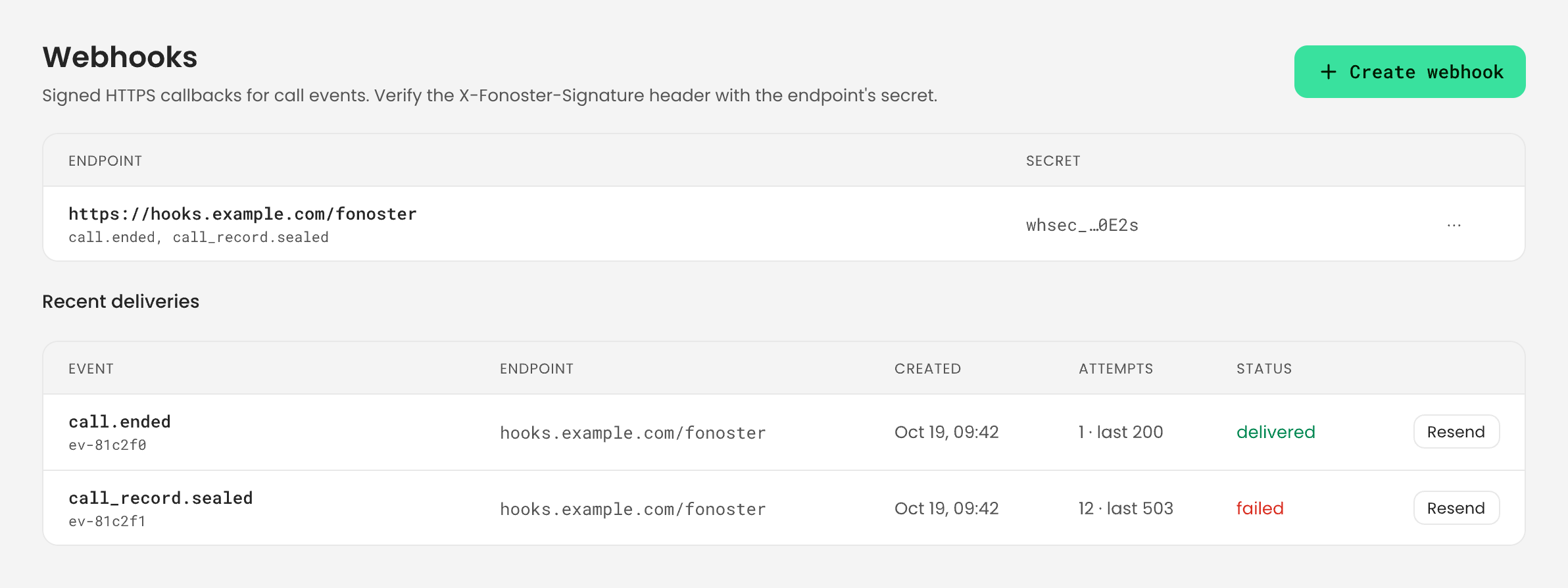
- It must start with
https://. - Its host must be public. Private, loopback and link-local addresses and internal host names are refused.
- Fonoster doesn’t follow redirects. A
3xxanswer counts as a failed attempt.
On your own install, the operator can allow plain
http:// URLs for local testing, and can allow
chosen private hosts. See Install with Docker Compose.Verify the signature
Every request carries two headers:
To verify a request, compute the HMAC over the timestamp, a dot and the raw body bytes, and accept
the request if it matches any of the signatures. Follow three rules:
- Use the raw body exactly as it arrived. Parse the JSON only after the check passes.
- Reject a timestamp more than 300 seconds away from your clock. This stops replays of old requests.
- Compare signatures in constant time.
whsec_ and belongs to the webhook.
Handle retries and duplicates
A delivery succeeds when your endpoint answers any2xx within 10 seconds. Answer first and do slow
work afterwards.
When an attempt fails (an error status, a timeout, a redirect, or no answer), Fonoster tries again.
The first retry comes 10 seconds later, and each wait doubles, up to one hour between attempts.
Fonoster keeps trying for 24 hours after the first attempt, then marks the delivery failed.
Delivery is at least once, so plan for two things:
- Duplicates. You can get the same event more than once. Every retry and every resend carries
the same
id. Store the ids you’ve handled and skip the ones you’ve seen. - Order. Events can arrive out of order. A
call_record.sealedcan arrive before thecall.endedof the same call. UsecreatedAtanddata.callRefto put them together.
Check the delivery log
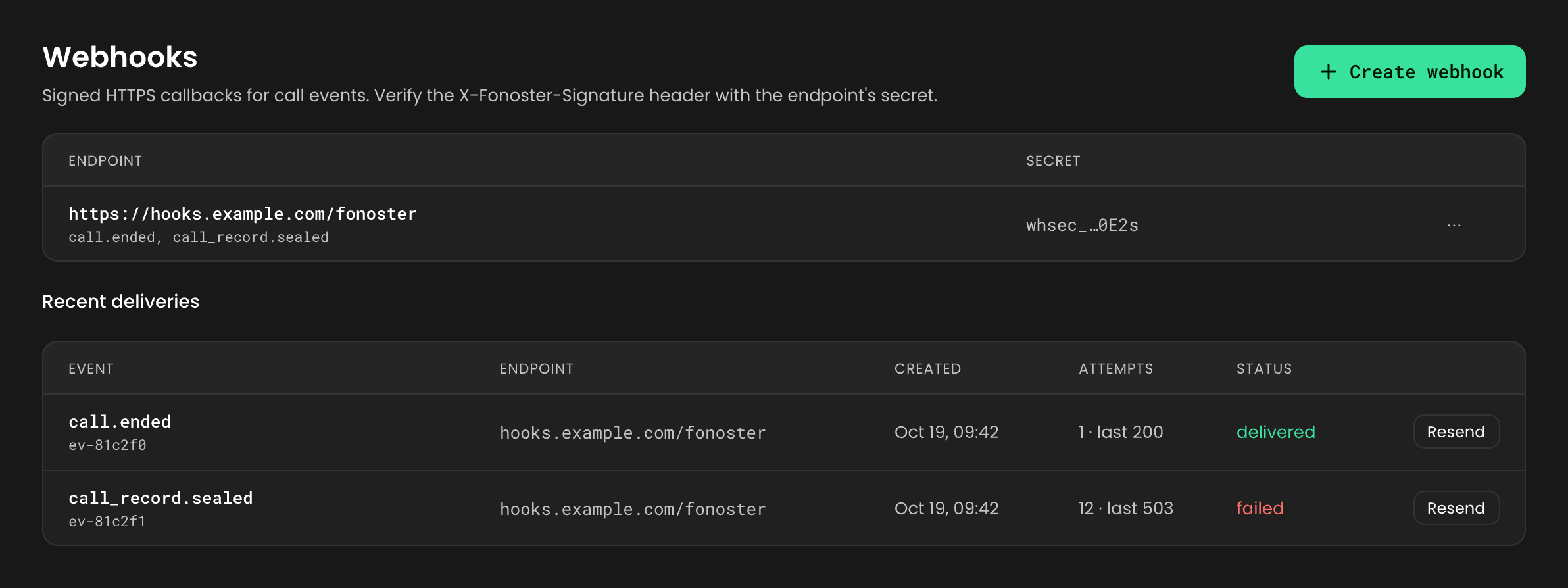
The delivery log lists each delivery, newest first: the event type and id, its status (pending,
succeeded or failed), how many attempts it took, the HTTP status of the last attempt (0 means
no answer), and when the last and next attempts happen.
- Dashboard
- SDK
- CLI
Go to Webhooks. The log is under Recent deliveries, for all of the workspace’s
webhooks.
Resend a delivery
A resend sends the same event now, with the sameid, a fresh timestamp and a fresh signature. Use
it after you fix a receiver that was failing. If the resend fails, the delivery goes back on the
retry schedule.
- Dashboard
- SDK
- CLI
Under Recent deliveries, choose Resend on the delivery.
Rotate the secret
Rotate the signing secret when it may have leaked, or on a schedule. The old secret keeps working for 24 hours. During that window, every request carries two signatures, one per secret, so a receiver that checks either one keeps working while you deploy the new secret.- Dashboard
- SDK
- CLI
On Webhooks, choose Rotate secret on the webhook, then Rotate. Copy the new secret
from the alert.
Change or delete a webhook
With the SDK or the CLI, you can change a webhook’s URL or its events. The dashboard can only create, rotate and delete webhooks.- SDK:
updateWebhook({ ref, url, events }). Fields you leave out are kept. - CLI:
fonoster webhooks:update <ref> --url <url>or-e <event>. The-elist replaces the webhook’s events.
deleteWebhook(ref), or run
fonoster webhooks:delete <ref>. fonoster webhooks:list and fonoster webhooks:get <ref> show
what you have.
Coming from eventsHook
In 0.27, an Autopilot agent sent its own events through eventsHook. Workspace webhooks replace it:
See Migrate from 0.27 for the other changes.
For every command and method, see Webhooks in the CLI reference and
the Node SDK reference.
Next steps
Call records
Fetch the record that
call_record.sealed points to.Webhook events
Every event and every field.