

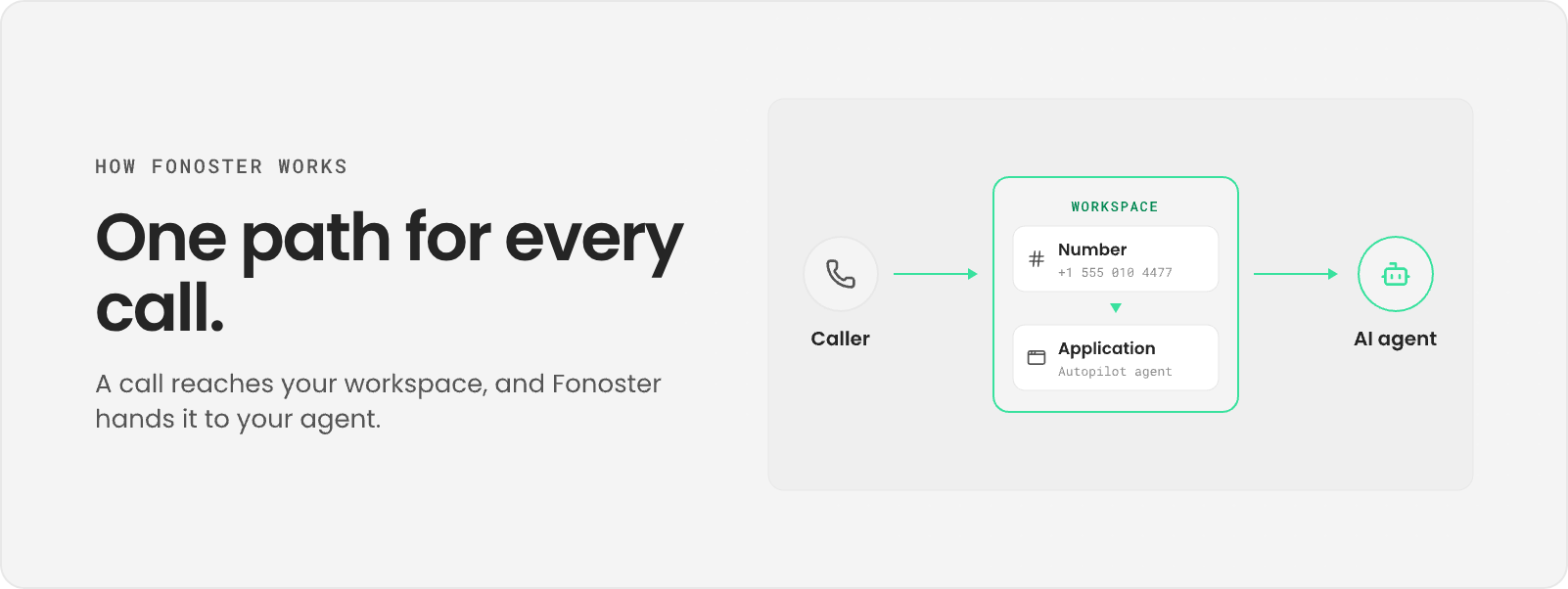
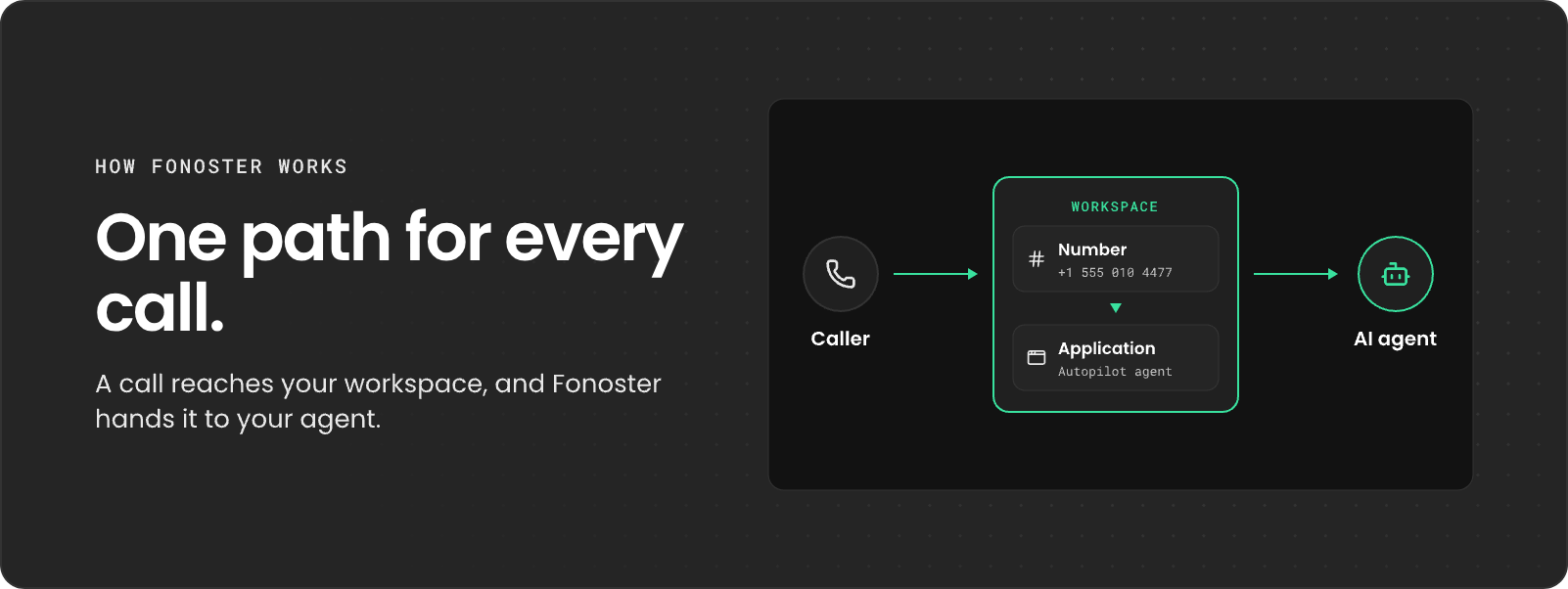
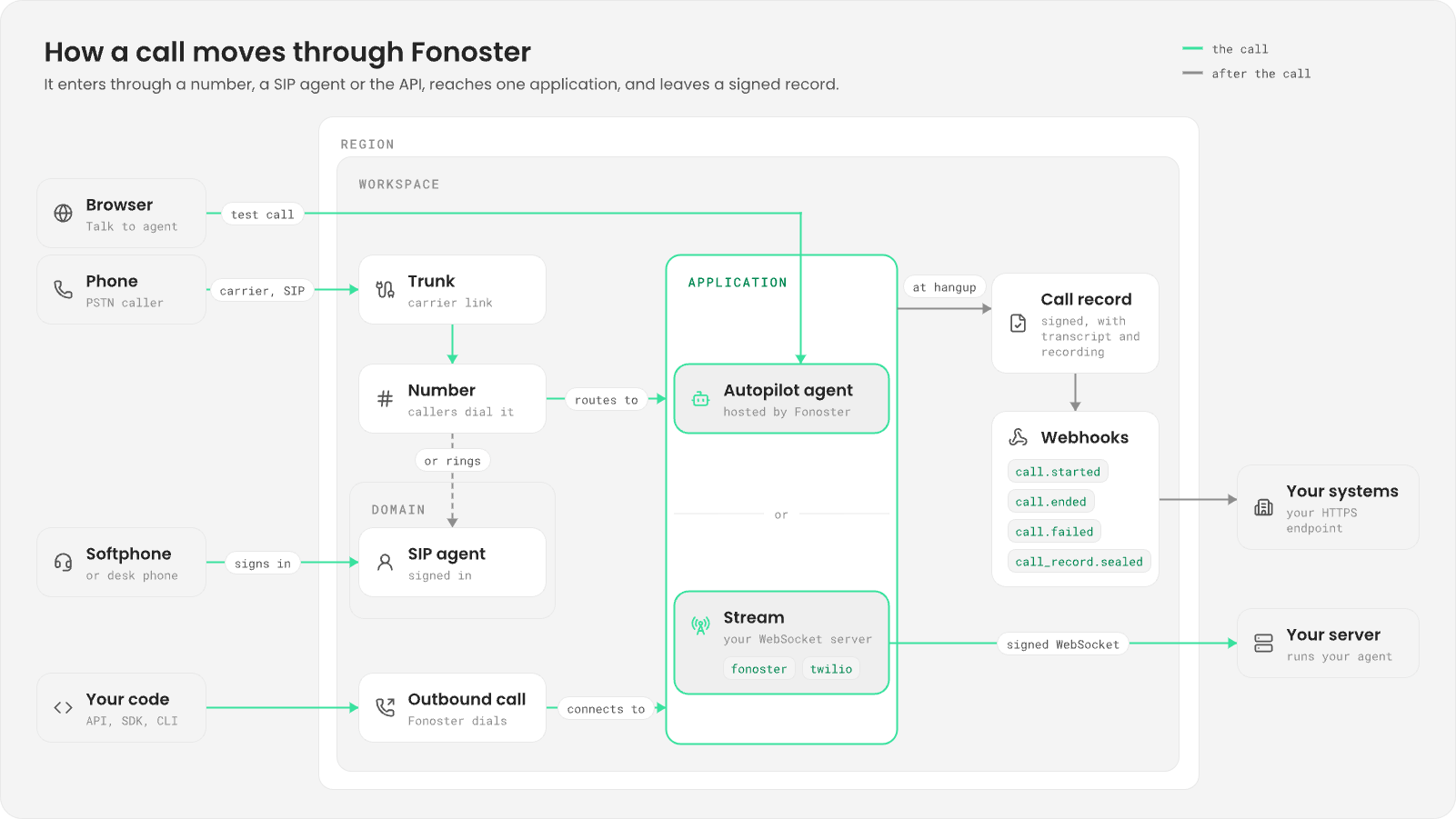
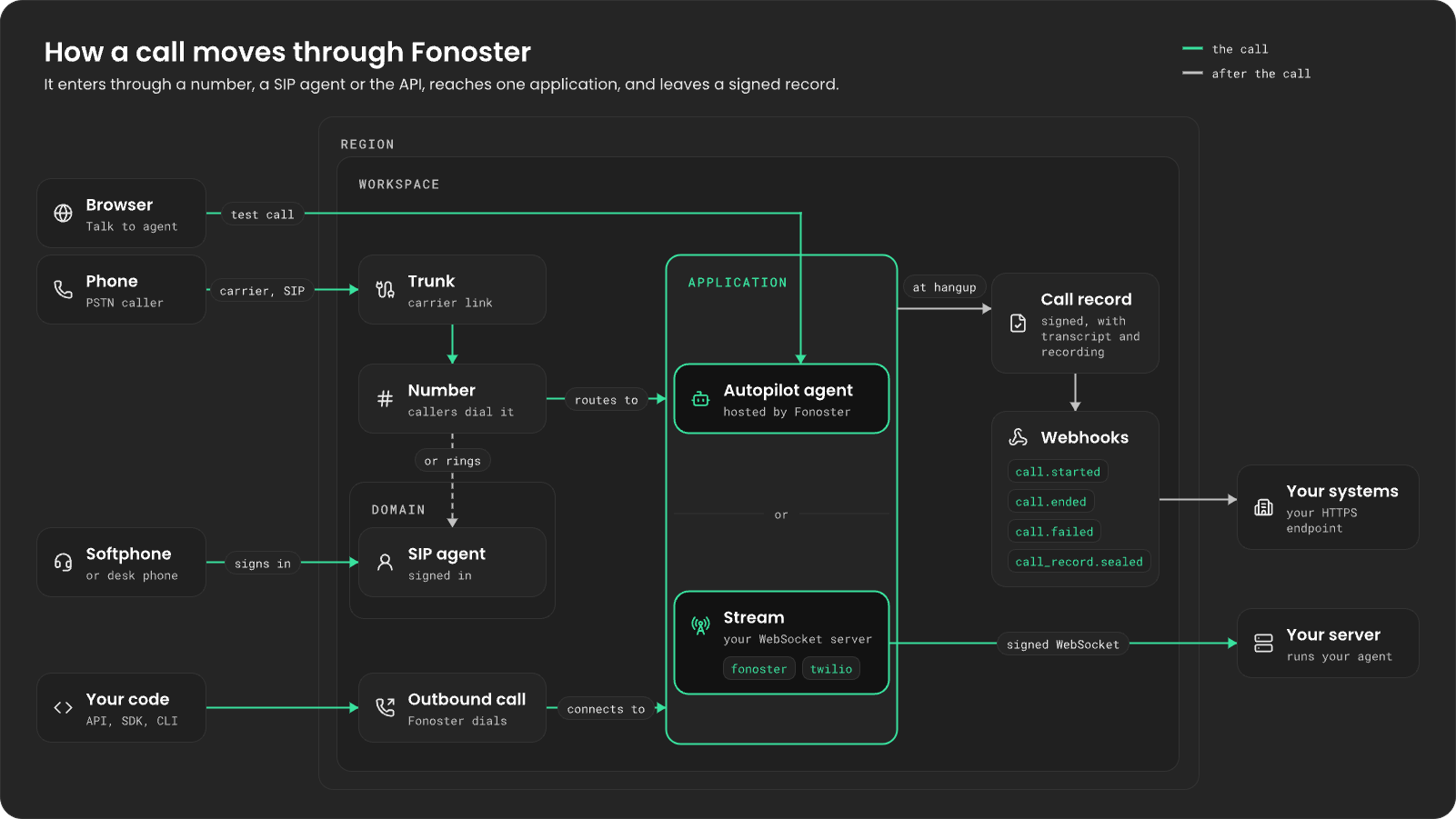
The workspace
A workspace holds everything else: numbers, trunks, domains, applications, webhooks, secrets and vendor keys. Your team members and your API keys belong to a workspace too, and an API key only sees the workspace it was created in. You can have several workspaces. For example, keep testing and production apart with one workspace for each.How a call gets in
A call reaches your workspace in one of three ways.- A number. A phone number belongs to a trunk, which is your connection to a carrier. When someone dials the number, the carrier sends the call over the trunk, and Fonoster looks up where the number points. Bring a Twilio number or any carrier that speaks SIP.
- A SIP agent. A SIP agent is a softphone or desk phone that signs in to a domain in your workspace. Use SIP agents to test your application without a carrier, or as the phones of the operators your agent transfers calls to. A number can also ring a SIP agent directly.
- An outbound call. You start the call from the API, the SDK or the CLI. Fonoster dials the number and connects the person to the application you name.
Applications
An application decides what happens on the call. Every number that takes calls points to one. There are two kinds. An Autopilot agent is an AI that Fonoster runs for you. You write its prompt and messages, choose a voice and a language model, and give it tools to hang up, transfer the call or call your API. You don’t run any server. The API calls this typeAUTOPILOT.
A stream is your own code, running on your own WebSocket server. For every call, Fonoster opens
one WebSocket to your server’s URL and keeps it open until the call ends. The API calls this type
STREAM. A stream speaks one of two protocols:
The wire formats are in Session protocol and
Twilio compatibility.
Fonoster signs every connection it opens to a stream, so your server can check that the call really
came from Fonoster. Each stream has its own signing secret.
Autopilot agents and
fonoster streams share the same speech settings: a voice, a language and a
speech-to-text model, named by catalog IDs such as deepgram/aura-2-thalia-en and
deepgram/nova-3. twilio streams ignore them, because the bot brings its own speech. Every
application can also name a fallback, another application or a message, for when the first one
can’t answer.
Which one should you use?
Start with an Autopilot agent when a prompt and a few tools cover what you need. Pick a stream when you need your own logic on every turn, a model or framework that Autopilot doesn’t run, or when you already have a Twilio or Pipecat bot.During the call
Afonoster stream gets every phone feature: it can transfer the call to a person (cold or warm),
read and send keypad tones (DTMF), and find out whether a person or an answering machine picked
up. The others get part of it:
- Autopilot agents transfer calls and can send keypad tones, but don’t read the caller’s keypresses or act on answering-machine detection.
twiliostreams receive keypresses but have no call control: no transfers, hold or sending keypad tones.
After the call
Every call leaves a call record: who took part, the transcript, and the recording if recording was on. Fonoster signs each record, so you can prove it wasn’t changed. You read records in the dashboard under Calls, or from the SDK, the CLI or the HTTP API. Recording is a policy, not a step in your code. Set it tooff, on, or consent, which plays a
consent prompt first. An application’s policy wins over the workspace’s.
Webhooks tell your systems when things happen. Fonoster posts an event to your URL when a call
starts (call.started), ends (call.ended) or fails to connect (call.failed), and when its
record is ready (call_record.sealed).
Regions
A region is where calls run and where their records and recordings are stored. A workspace picks its region when you create it, and its calls and records stay there. Fonoster Cloud runs the regions for you. Companies that must keep calls and data on their own infrastructure can run a private region, joined to Fonoster.Fonoster Cloud or your own servers
Fonoster is open source. Use Fonoster Cloud, or install Fonoster on your own servers with the Self-hosting guides. The workspaces, numbers, applications, SDK and CLI are the same on both, so your agents and code work on either. The difference is who runs the servers.Next steps
Build an Autopilot agent
Write the prompt, pick a voice and a model, and put your agent on a call.
Build a stream
Run your own logic with the Voice SDK.
Bring your Twilio or Pipecat app
Point Fonoster at the bot you already have.
Numbers and routing
Get numbers and decide where each call goes.